All your music.
Finally in one library.
Phrida brings together Apple Music, the audio files on your iPhone, the songs you sync from your Mac or PC, and your audiobooks. Browse, search and play all of it as one collection.
View on the App Store- For iPhone and iPad
- iOS 16 or later
- No account needed

Three places your music lives. One place to play it.
Most players make you pick a source first. Phrida starts from the music: artists, albums and playlists show up once, with a small badge that tells you where each song comes from.
Apple Music
Your Apple Music library and the full catalog, through Apple’s own MusicKit. Phrida never touches your Apple library settings.
Files on your device
MP3, AAC, ALAC, FLAC, WAV, AIFF and more. Add them with the Files app, or drag them in on iPad.
Synced from Mac or PC
The songs and audiobooks you already sync with Finder or iTunes, with their artwork and play counts.
Made for the collection you built over the years
One queue for everything
Mix streaming, local files and synced songs in the same queue and playlists. Lock Screen, Control Center, AirPlay and CarPlay keep working.
Search once
One search covers your library first and the Apple Music catalog next, with results grouped the way you expect.
Audiobooks with chapters
Chapters, a saved position for every book and a sleep timer.
Your listening, in numbers
Plays, listening time, top artists and albums, and a yearly recap, across every source.
Synced with iCloud
Loved songs, play history and settings follow you to your other devices through your private iCloud account.
Cast and AirPlay
Send music to AirPlay speakers or Chromecast devices on your network.
Your layout
Lists or grids you can pinch to resize, light and dark appearance, custom colors and tabs.
Animated artwork
Albums with motion artwork come alive on the Now Playing screen.
A closer look
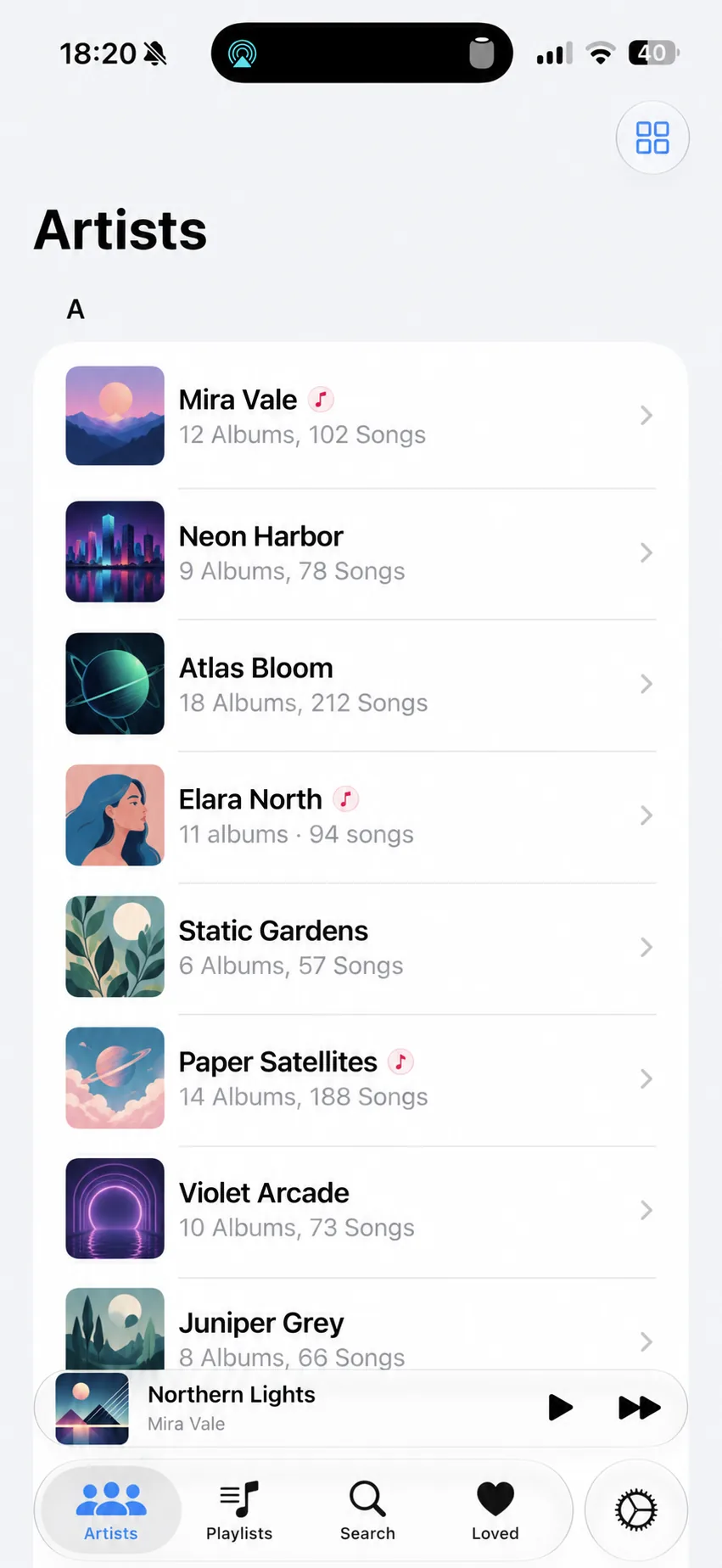
Artists from every source in one list
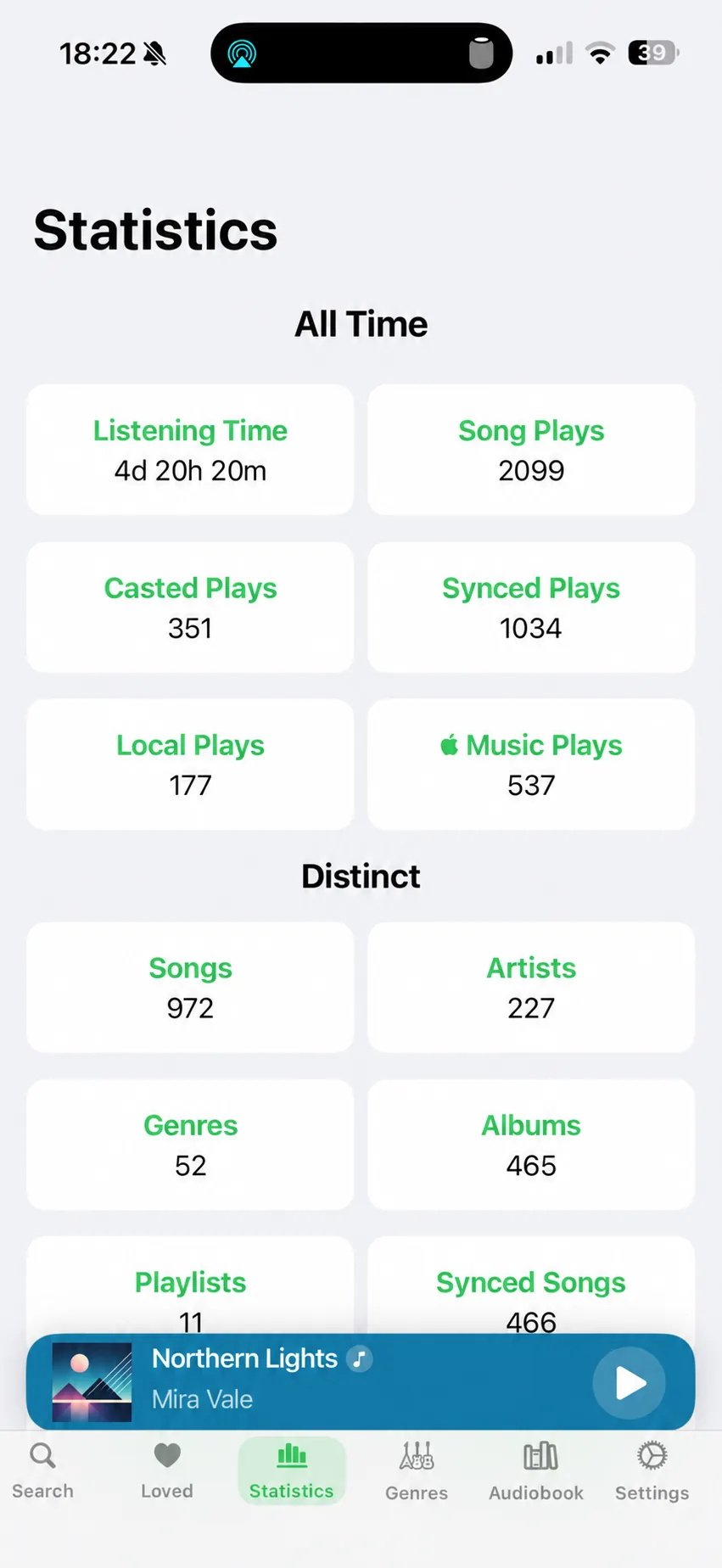
Statistics for everything you play
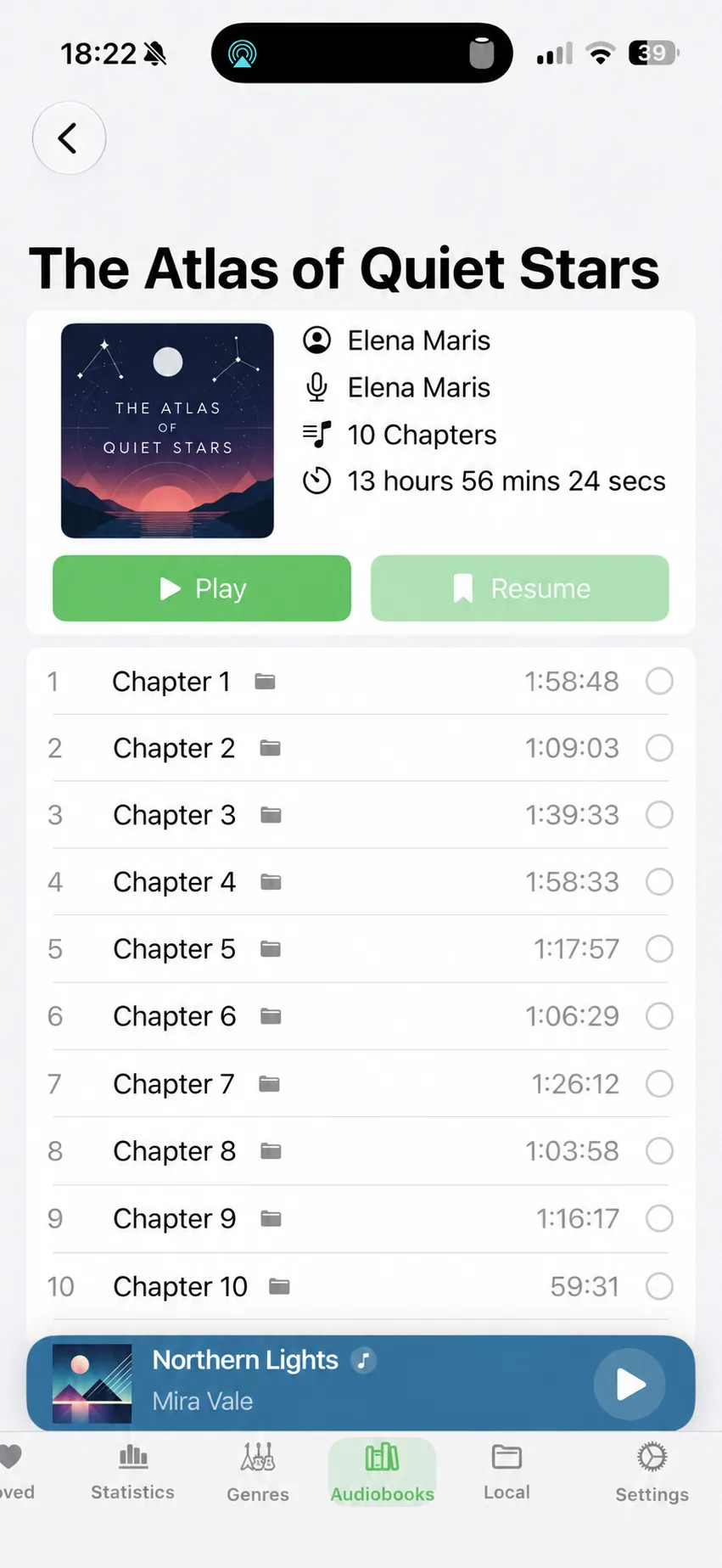
Audiobooks next to your music

Your music stays yours
- Phrida has no account, no ads and no tracking.
- Your library, history and statistics stay on your device.
- iCloud sync uses your private iCloud database. The developer can’t see it.
Questions
Do I need an Apple Music subscription?
No. Phrida plays your own files and synced music without one. A subscription is only needed to play songs from the Apple Music catalog.
Which devices are supported?
iPhone and iPad with iOS or iPadOS 16 or later. Phrida also works with CarPlay.
How do I add my own audio files?
Open the Files app and copy your songs into On My iPhone › Phrida › Music. On iPad you can also drag files into Phrida. Phrida finds them automatically.
Which formats can Phrida play?
MP3, AAC and M4A, M4B audiobooks, ALAC, FLAC, WAV, AIFF and CAF.
Does Phrida change my Apple Music library?
No. Songs you add or love in Phrida are kept in Phrida, so you don’t need to turn on Sync Library in Apple Music.
Which languages does Phrida speak?
English, Italian, Spanish, French, Japanese, Simplified Chinese and Hindi.